Wait! Your order is not complete yet. Don't close this page.
✓ PinMyListingsUpgrade: Auto-PublishYour access
Auto-Publish

Approve your pins. We post them at the right time.

Connect your Pinterest account once. From then on, every pin you approve and schedule is posted to its own board at its time through the official Pinterest API. No CSV, no bulk upload, nothing to remember.

Yes, add Auto-Publish for $47One-time payment · 30-day money-back guarantee
No thanks, I'll upload the CSV myself

1 · You approve

Personalized Baking BowlCustom Walnut Wood Mixing Bowl
✓ Approved

2 · The app schedules

Tue 10:00Board: Kitchen Gift Ideas
◷ Scheduled

3 · Posted for you

On your PinterestLinks to your Etsy listing
● Posted to Pinterest

Illustration of the flow, not a screenshot.

Why Auto-Publish

The CSV works. Auto-Publish is one step less, every week.

With the starter plan you export a file and upload it with Pinterest's bulk tool. That's fine once. Doing it every week, for every shop, is where most people stop.

🔐

Connect with Pinterest's own login

You sign in on Pinterest's page and allow PinMyListings. We never see your Pinterest password, and you can disconnect any time.

📌

Each pin, its own board

Every pin goes to the board it was written for. Missing boards are created in one click, and a default board catches the rest.

⏰

Posts on schedule

Approved pins go live at the day and hour the scheduler gave them, spread over 7–30 days.

🛍️

An account for every shop

Connect one Pinterest account for each shop in your plan, own and client shops, and choose which account posts each shop.

⏸️

Pause any time

Switch Auto-Publish off for an account and nothing posts until you switch it back on.

✅

Still only what you approve

Only pins you approved are posted. Drafts and pins you haven't checked never leave the app.

CSV export (included)Auto-Publish
Getting pins to PinterestExport, then bulk upload on PinterestPosted by the app
Each weekRepeat the export and uploadApprove and schedule, that's it
Several shopsOne upload per shopEach shop posts to its own account
Change of plan mid-weekUpload againPause, reschedule, carry on
Inside Auto-Publish

From approved to live, without touching Pinterest

Set it up once per account. After that, approving and scheduling is the whole job.

Connect safely

Connected through Pinterest's own login

Click Connect Pinterest, sign in on Pinterest's page and allow PinMyListings. We never see your password, and the access can be removed at any time.

  • We read your profile name and boards, so you can pick where pins go
  • We create only the pins you approved, at the times you scheduled
  • Disconnect here or in Pinterest settings; we delete the access token
  • Uses the official Pinterest API

Connected Pinterest accounts 1 per shop in your plan

@buffaygoodsBoard: Kitchen Gift Ideas · posts BuffayGoods
● On
@client.weddingsBoard: Wedding Decor · posts a client shop
❚❚ Paused

Illustration, not a screenshot.

Boards & accounts

The right board, the right account, every time

Each pin is posted to the board it was given, like Wedding Decor or Kitchen Gift Ideas. Boards that don't exist on Pinterest yet are created from the app in one click. Pick a default board for anything else. With more than one shop, choose which account posts each shop.

  • One Pinterest account per shop in your plan: 1 on the starter plan, up to 5 with Pro, plus one per client shop with the Agency License
  • Per-pin boards, with missing boards created in one click and a default board as backup
  • Pause an account and nothing posts until you switch it back on
Pin examplePin examplePin example
The queue

See what goes out, and when

The Auto-Publish page lists every approved pin with the time it will post. The app posts them at their time; you can also publish one right away.

  • Posts as scheduled, shown in your own time zone
  • Publish now for any pin that should go out immediately
  • Posted list, with a check that asks Pinterest to confirm the pin exists
  • Problems are shown with the reason (for example a deleted board), fix and retry in a click

Auto-Publish queue times in your time zone

Wood vs. Metal Mixer BowlsTue 10:00 · Kitchen Gift Ideas
◷ Scheduled
Personalized Wedding GiftMon 18:00 · Wedding Decor
✓ Posted
Easter Bunny SurpriseMon 10:00 · Easter Basket Ideas
✓ Posted
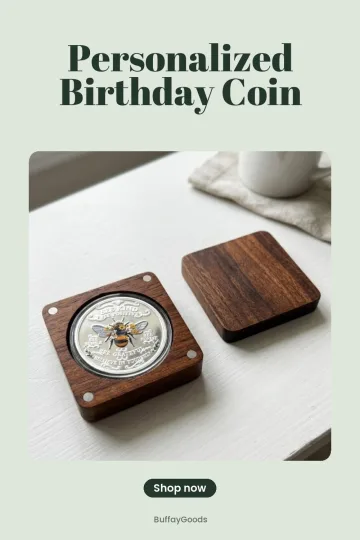
Personalized Birthday CoinBoard not found · fix and retry
! Needs you

Illustration of the queue, not a screenshot.

What changes for you

Every week, before and after Auto-Publish

With CSV upload

  • Approve pins, then export the CSV and ZIP
  • Open Pinterest, find the bulk tool, upload the file
  • Repeat for every shop, every week
  • Change of plan means exporting and uploading again

With Auto-Publish

  • Approve and schedule. That's it
  • Pins go out at their time through the official API
  • Each shop posts to its own account automatically
  • Pause, reschedule or publish now from one page
Everything you get

Auto-Publish, item by item

Unlocks in your account right away. The CSV export stays available too.

🔐
Pinterest connectionOfficial OAuth login; read profile and boards, create approved pins only.
📌
Board matchingEach pin goes to its own board; missing boards created in one click; default board as backup.
🛍️
One account per shopOwn and client shops each post to the account you choose.
⏰
Scheduled postingApproved pins go live at their scheduled time; Publish now when you need it.
🔎
Posted list + checksSee what went out and confirm it on Pinterest; errors shown with the reason.
⏸️
Pause and resumePer account, any time.
One-time payment · no monthly fee · 30-day guarantee$47 once
Add Auto-Publish

Stop uploading files

Unlocks in your account right away. No monthly fee.

$47
one-time payment
  • Post approved pins to Pinterest at their scheduled times
  • One Pinterest account per shop in your plan (own and client shops)
  • Each pin posted to its own board (default board as backup)
  • Choose which account posts each shop
  • Pause and resume any time
Yes, add Auto-Publish30-day money-back guarantee
🔒 Secure checkout through WarriorPlus⚡ Unlocks instantly

No thanks, I'll keep uploading the CSV

30DAY
GUARANTEE

Let it post for a few weeks

Connect your account and watch your pins go live on schedule. If Auto-Publish isn't for you, ask for a refund within 30 days through WarriorPlus or by email.

FAQ

Questions about Auto-Publish

Is it safe for my Pinterest account?

Auto-Publish uses the official Pinterest API with the access you grant on Pinterest's own page. It only posts the pins you approved, spread over the days you chose, never in bulk bursts.

Do I need a Pinterest business account?

A free Pinterest business account is recommended. Switching takes a minute and keeps your pins and followers.

How many Pinterest accounts can I connect?

One for each shop in your plan: 1 with the starter plan, up to 5 with Pro, plus one per client shop with the Agency License.

Can I still export the CSV?

Yes. The CSV and ZIP export stay available, for example for a client who wants to upload the pins themselves.

Is there a smaller option?

If you click "No thanks", you'll see one more option that connects 1 Pinterest account.

Is it a one-time payment?

Yes, $47 once. No subscription.

Approve on Monday. Pins go live all week.

Connect Pinterest once and let the schedule do the rest.

Yes, add Auto-Publish for $47One-time · 30-day money-back guarantee

No thanks, skip this upgrade